

remove unwanted objects from photos
Match this intent with specific copy, examples, and image outcomes on the page.
Remove unwanted objects, clutter, text, people, marks, and distractions from photos with AI for cleaner product, travel, real estate, and social images.
AI
Fast photo editing workflow
Web
No complex design software
Export
Ready for publishing channels
Search intent



SEO intent map
Creators, sellers, photographers, property teams, and marketers who need to remove unwanted objects from photos without opening complex editing software.
Match this intent with specific copy, examples, and image outcomes on the page.
Match this intent with specific copy, examples, and image outcomes on the page.
Match this intent with specific copy, examples, and image outcomes on the page.
Match this intent with specific copy, examples, and image outcomes on the page.
Match this intent with specific copy, examples, and image outcomes on the page.
Photo cleanup workflow
This use case is for images that are almost ready, except for objects, marks, clutter, or background details that make the final asset feel less polished.
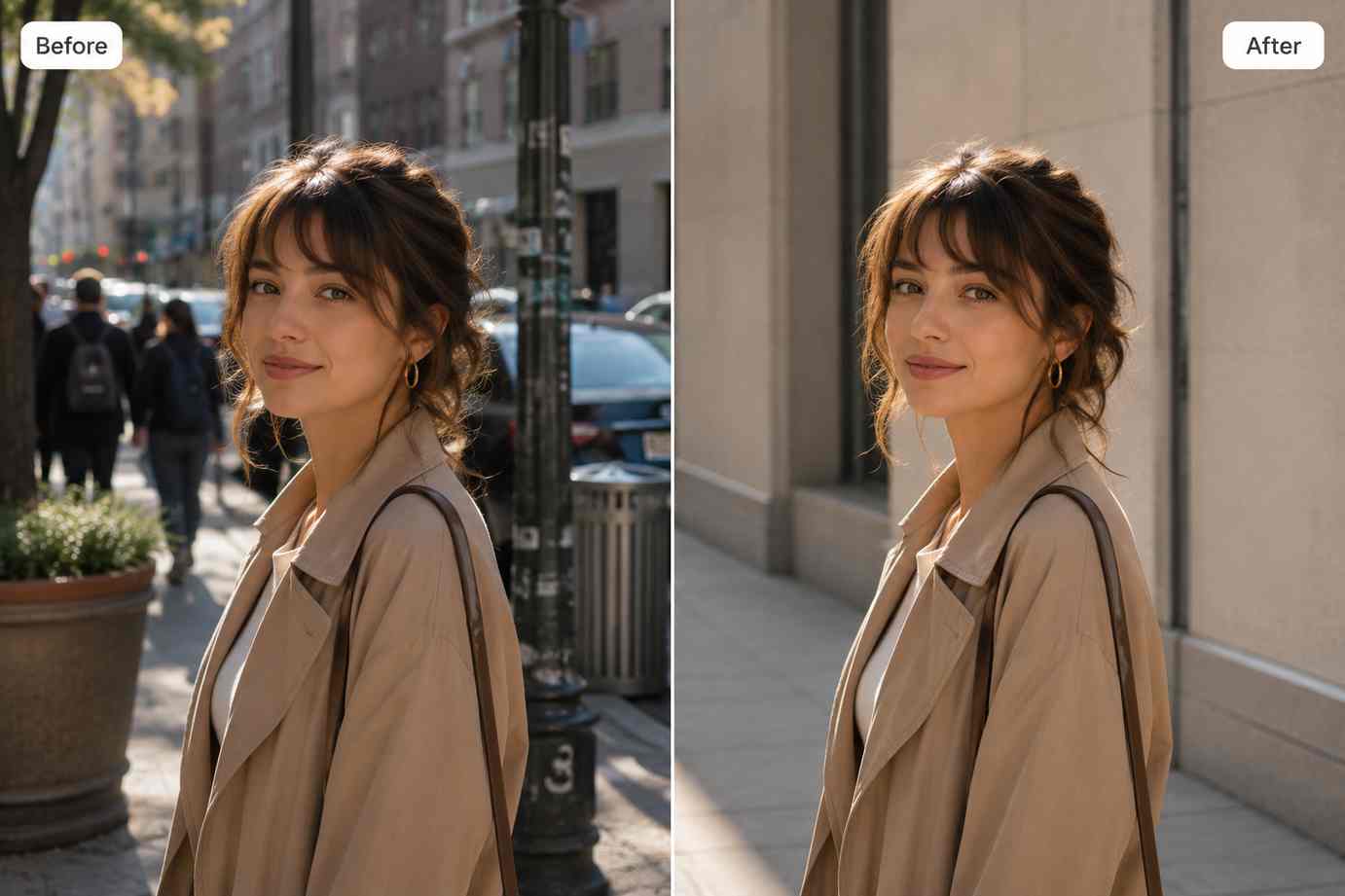
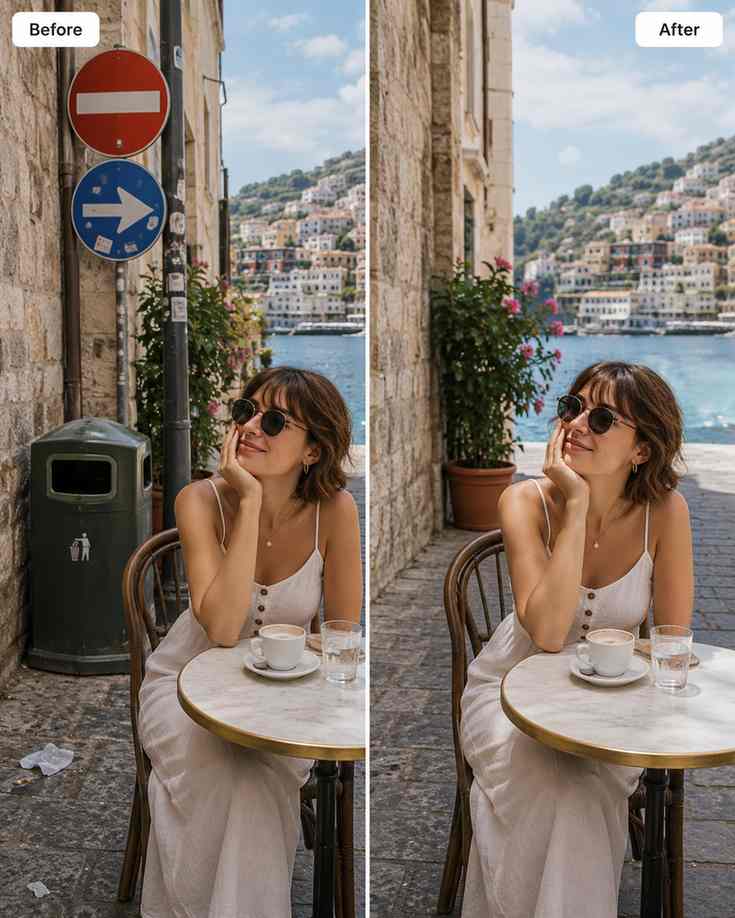
Clean unwanted objects, props, people in the background, dust, signage, and small marks while keeping the image natural.

Remove small text, stickers, supplier marks, or visual noise that makes an image harder to reuse in new contexts.
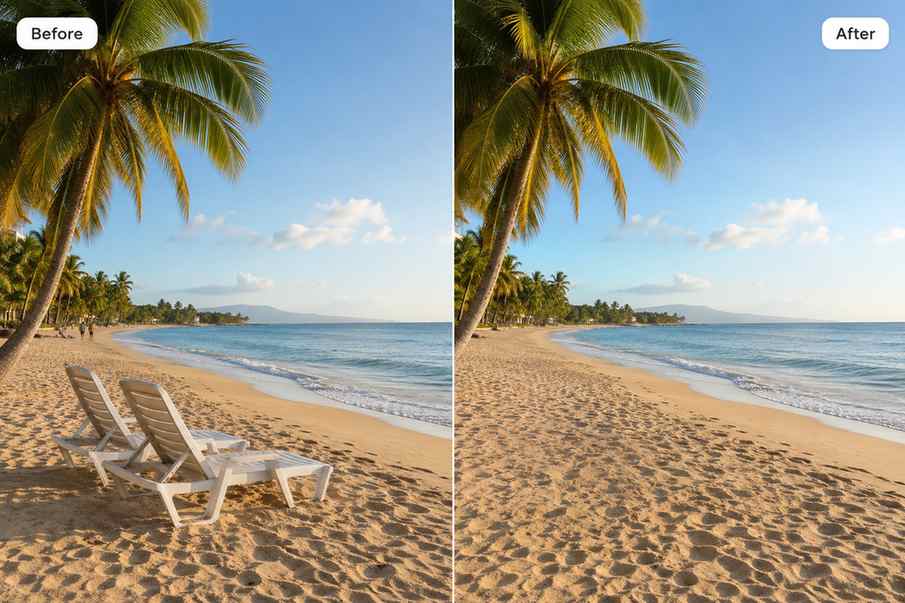
After object removal, use enhancement or upscaling to make the final image sharper and more publish-ready.
Pain points
A good photo has one distracting object
Select the unwanted area and create a cleaner version without reshooting.
Old visuals contain marks, props, or text
Clean the image so it can be reused in new campaigns, listings, or posts.
Background clutter weakens the subject
Remove visual noise so the main subject becomes easier to understand.
Channel matrix
Product images
Remove props, dust, stickers, and distracting background elements.
Travel and lifestyle photos
Clean people, signs, bins, cables, or stray objects from the scene.
Listings and campaigns
Refresh reusable images without organizing a new shoot.
Before and after clutter removal
Clean product image with props removed
Natural scene cleanup without visible patching
Final image enhanced for publishing
Object removal workflow
Upload the image, select the unwanted object area, let AI clean it, then enhance or upscale the finished photo if needed.
Identify the object, mark, text, or clutter that prevents the image from feeling finished.
remove unwanted objects from photos
Use Object Remover on a focused region so the replacement texture blends naturally.
AI object remover
Review shadows, lines, edges, and repeating patterns around the edit.
remove clutter from photo
Enhance or upscale the image if the cleaned output needs stronger clarity.
photo cleanup tool
Clean photo outcome
PixEdit helps remove distracting details while preserving the original purpose of the image.
1
Source image uploaded
3
Common PixEdit tools connected
Ready
Output for real publishing needs
Object Remover
Object Remover + AI Enhance
Object Remover + Image Upscaler
Next step
Remove the unwanted object, keep the useful parts of the image, and export a cleaner result for publishing.

FAQ
Yes. PixEdit can help remove distracting objects, clutter, marks, and unwanted details from photos.
Common examples include background clutter, props, signs, text, dust, marks, and small distractions around the main subject.
Results depend on the source image and selected area, but focused selections and cleaner backgrounds usually produce more natural results.
Start with Object Remover for cleanup, then use AI Enhance or Image Upscaler if the final image needs more clarity.