PixEdit LogoPixEdit

Social Media Content Editing

AI Image Editing for Social Media

AI image editing for social media creators to clean photos, remove clutter, enhance visuals, and adapt one asset into posts, stories, ads, and thumbnails.

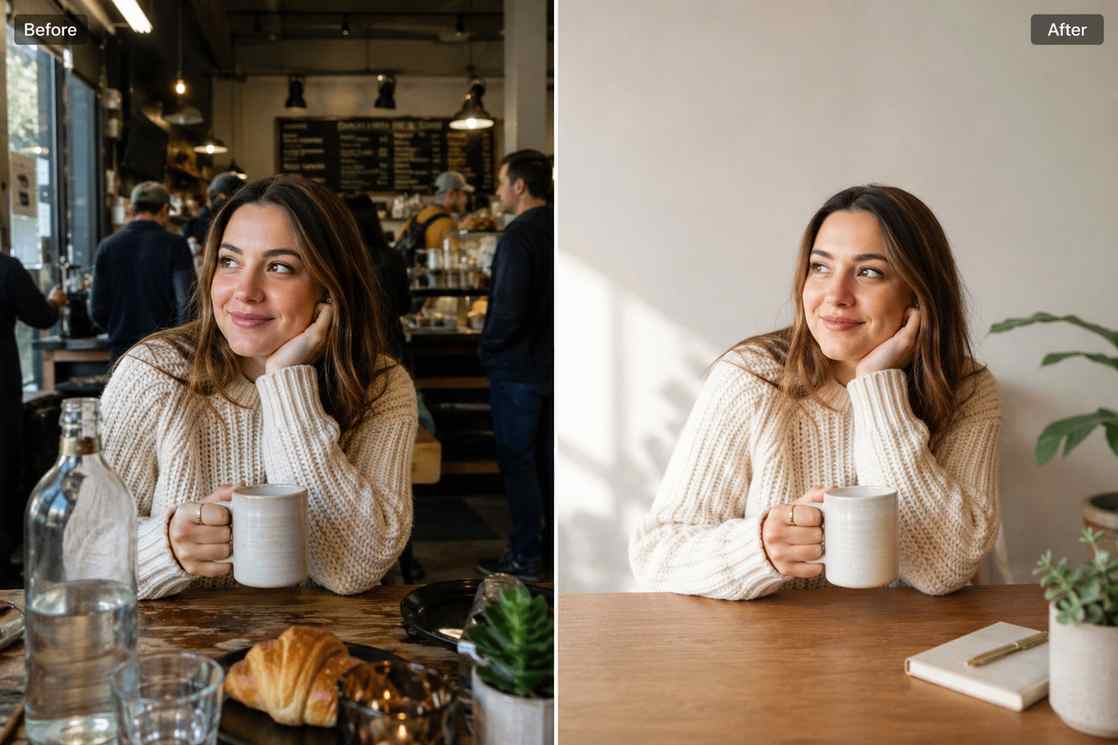
Before and after creator photo showing a cluttered raw image cleaned and adapted into social media content assets

AI tools for creators and social teams

AI image editing for social media content that looks ready to post

PixEdit helps creators, social media managers, and small teams clean phone photos, remove distractions, create reusable cutouts, enhance low-quality images, and adapt visuals for posts, stories, ads, thumbnails, and campaign calendars.

Photo cleanup

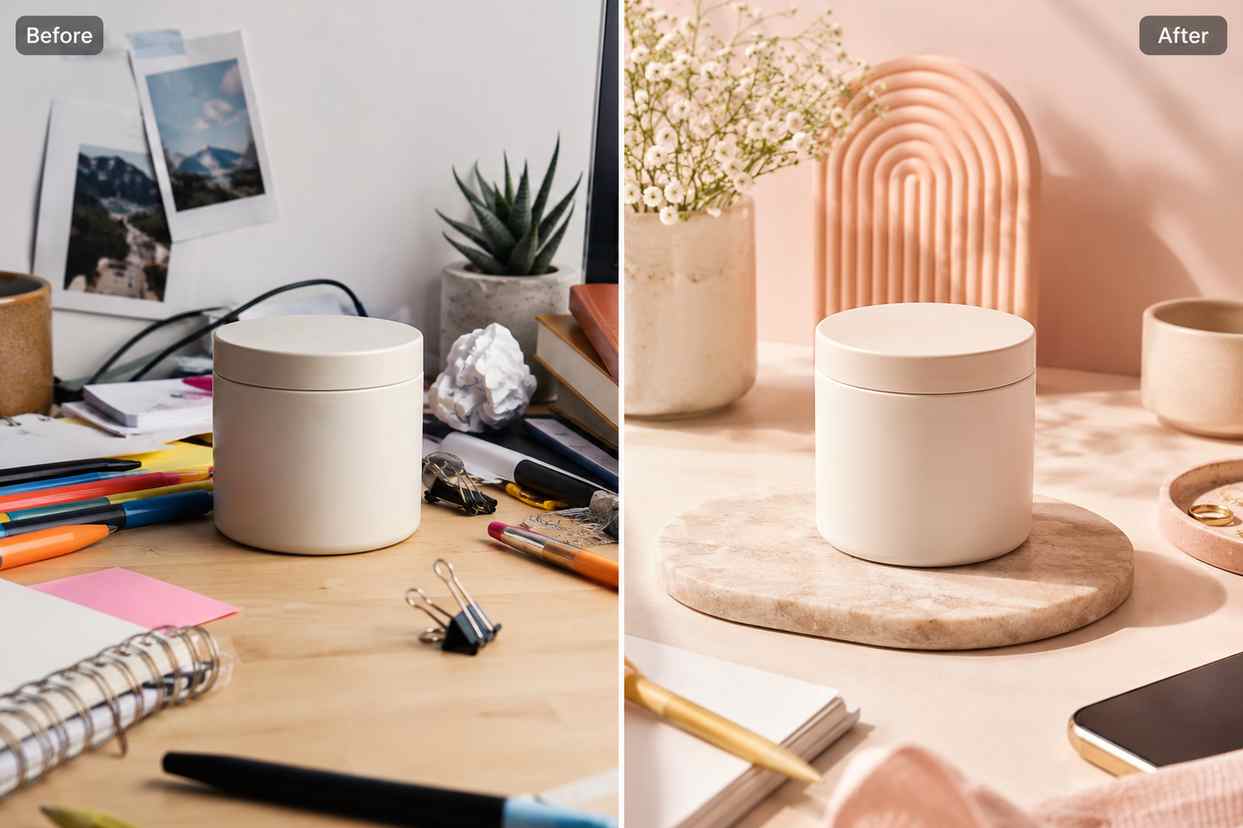
Clean social photos before posting

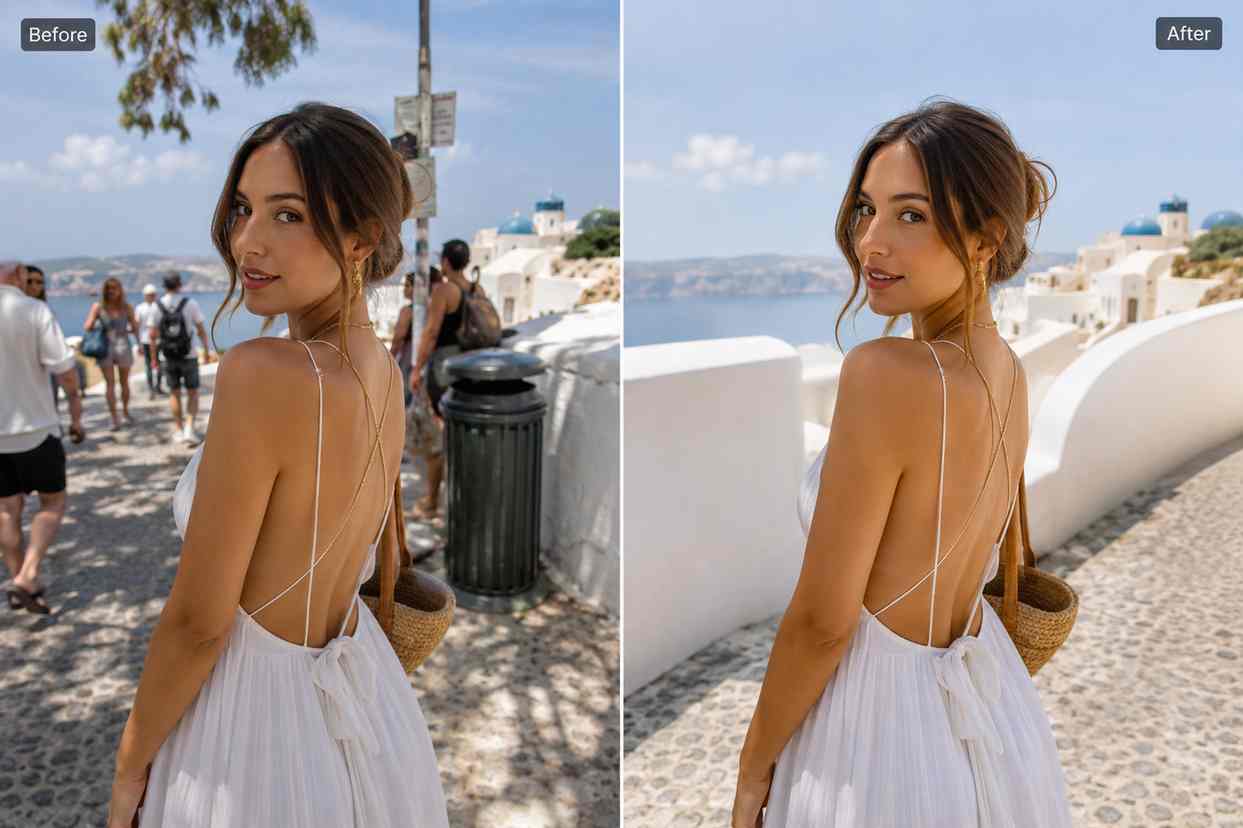
AI image editing for social media is useful when a good photo has background people, messy rooms, signs, cables, or random objects that distract from the subject. PixEdit helps remove those details so the image feels more intentional before it reaches your feed.

  • Remove distracting objects from creator photos and lifestyle shots
  • Clean quick phone captures without planning another shoot
  • Prepare stronger images for posts, thumbnails, stories, and ads
Try now
A lifestyle creator photo before and after background people, signs, and clutter are removed

Reusable cutouts

Create creator and product cutouts for templates

Remove backgrounds from people, products, props, or objects so they can be reused across content templates. This helps creators and social teams build consistent covers, story graphics, product posts, thumbnails, and ad layouts from the same approved assets.

  • Create reusable creator, product, and prop cutouts
  • Build cleaner social media templates with consistent assets
  • Adapt one photo into multiple content formats without starting over
Try now
Creator portrait, product, and prop cutouts arranged as reusable assets for social media templates

Image enhancement

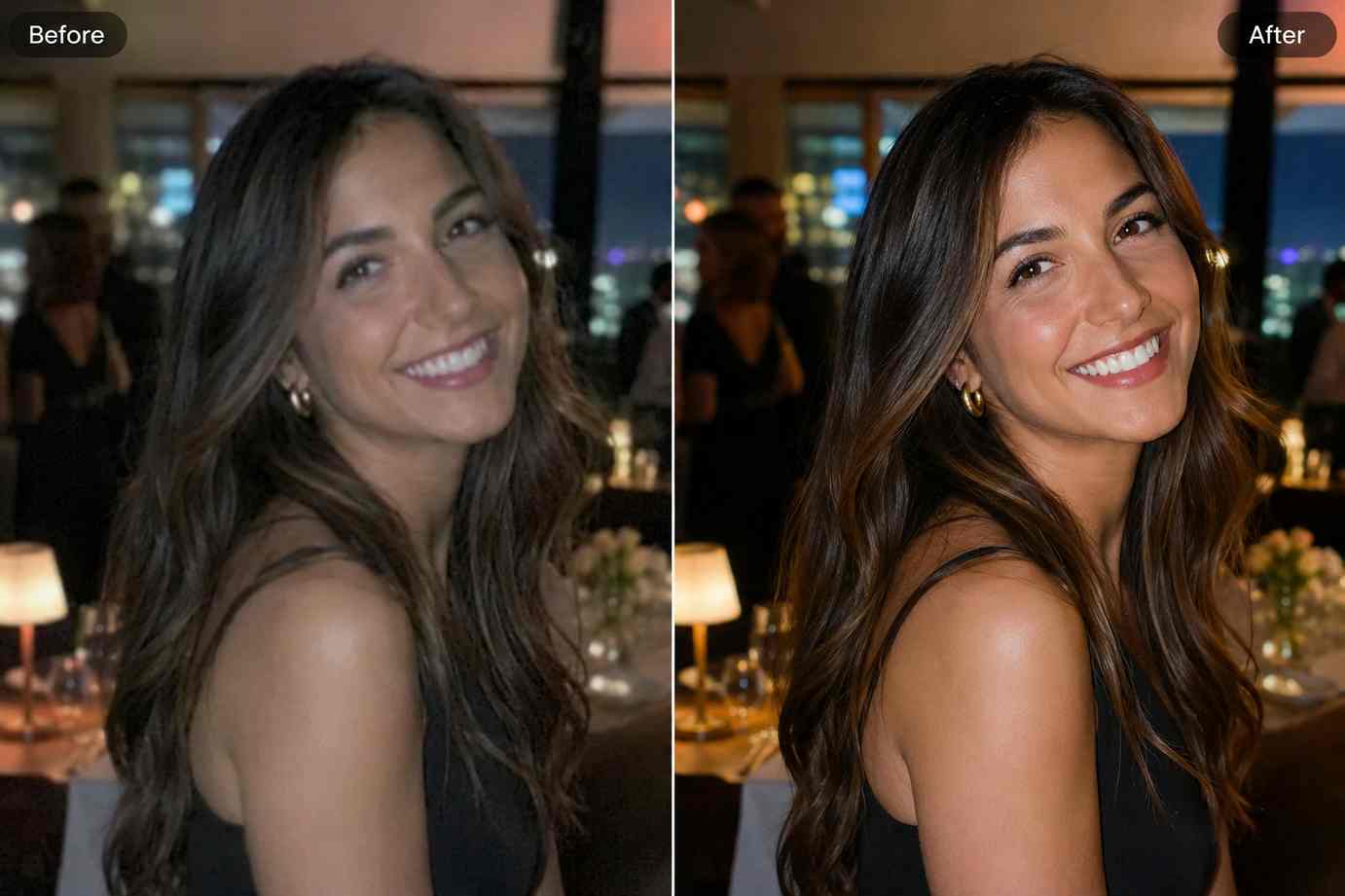
Enhance low-quality social images

Compressed screenshots, older campaign photos, or fast phone shots can look soft on mobile. PixEdit helps sharpen detail, improve lighting, and make content clearer before it becomes a feed post, cover image, ad creative, or thumbnail.

  • Improve clarity for mobile-first social media viewing
  • Enhance older campaign photos and compressed source files
  • Prepare sharper images for thumbnails, banners, and creator posts
Try now
A compressed creator photo improved with sharper detail, brighter lighting, and cleaner color

Format adaptation

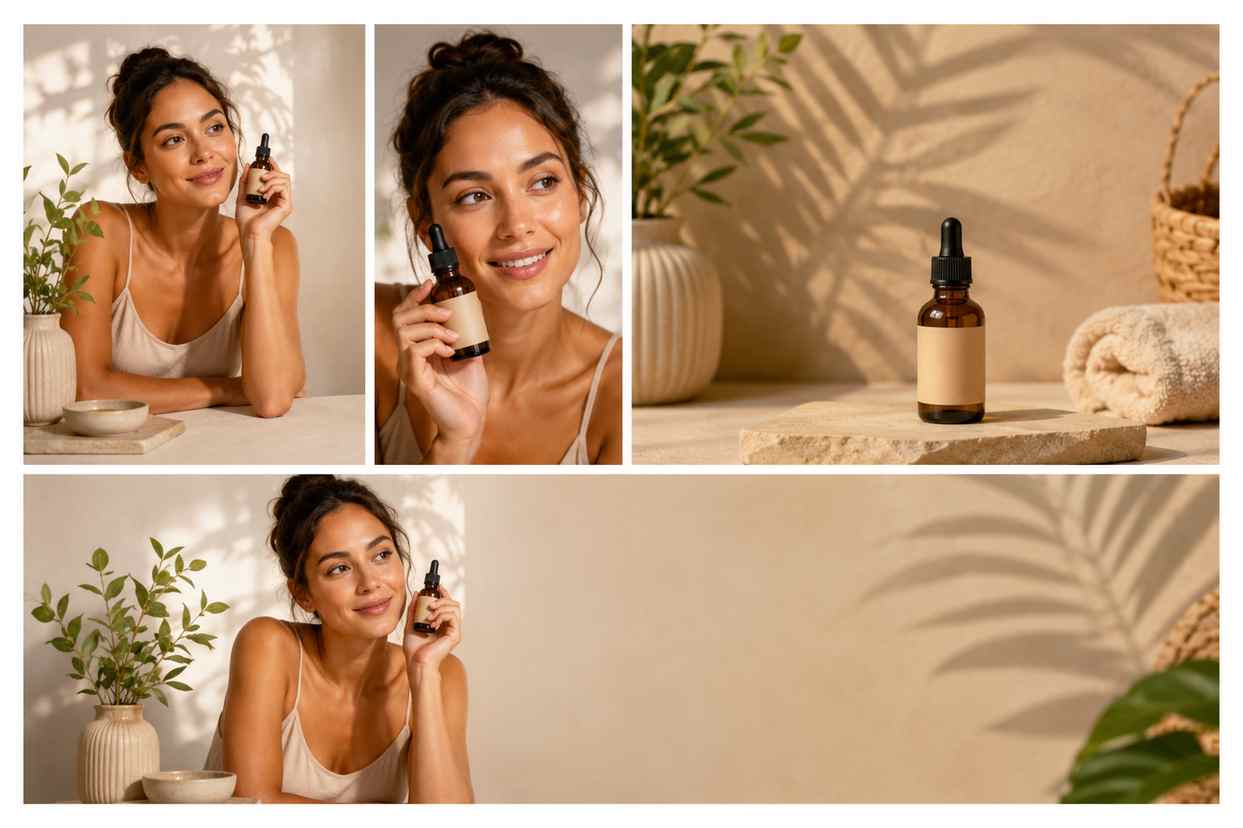
Turn one image into posts, stories, and banners

Use AI Fill to extend backgrounds, create more layout space, and make one source image work across square posts, vertical stories, launch banners, paid ads, and thumbnail-style visuals without awkward cropping.

  • Extend image backgrounds for vertical and horizontal layouts
  • Create extra negative space for social media designs
  • Repurpose one content shoot across more publishing formats
Try now
One creator image expanded into feed, story, banner, and thumbnail formats with clean background space

Creative refresh

Replace outdated props or scene details

When a content idea changes, PixEdit can help replace props, update background elements, or refresh a scene so the visual matches a new topic, season, product drop, or campaign direction.

  • Replace distracting props in creator and product photos
  • Refresh old social assets for new content themes
  • Adapt campaign visuals without scheduling another shoot
Try now
A creator content scene where outdated props are replaced with cleaner objects for a refreshed campaign visual

Social workflow

From raw capture to content calendar

Use PixEdit as a lightweight editing step between capture, planning, and publishing so every image can become a cleaner, more flexible social asset.

1

Start with a raw visual

Upload a phone photo, creator portrait, product shot, event image, thumbnail idea, or older campaign asset.

2

Clean the distracting details

Remove unwanted objects, background clutter, signs, people, props, or messy scene elements.

3

Enhance or reshape the image

Improve clarity, remove the background, upscale low-resolution images, or extend the canvas with AI Fill.

4

Export for each channel

Prepare the finished image for feed posts, stories, ads, thumbnails, banners, profile visuals, and campaign calendars.

Creator outcome

More usable social assets from every photo

PixEdit helps creators and social media teams turn imperfect captures into cleaner, reusable visuals for regular publishing, campaign launches, and content repurposing.

PixEdit helps creators and social media teams turn imperfect captures into cleaner, reusable visuals for regular publishing, campaign launches, and content repurposing.

Multi

Post, story, ad, and thumbnail formats

Clean

Creator and product visuals

Reusable

Assets for content templates

Outputs created with PixEdit

A creator portrait cutout placed on a clean vertical-story-style background

Story-ready creator cutout

Tools used

Background RemoverAI Fill
A social feed lifestyle photo cleaned and enhanced with fewer background distractions

Clean feed photo

Tools used

Object RemoverAI Enhance
A polished thumbnail-style creator image with clear subject focus and sharper detail

Campaign thumbnail

Tools used

Image UpscalerAI Enhance
A set of social media visuals arranged as a feed post, story asset, thumbnail, ad image, and campaign banner

Next step

Create cleaner social visuals with PixEdit

Clean one raw image, turn it into reusable content assets, and prepare visuals for posts, stories, ads, thumbnails, and campaigns faster.

FAQ

Common questions

Quick answers for sellers preparing product images, marketplace assets, and repeatable editing workflows.

1

How does AI image editing for social media help creators?

AI image editing for social media helps creators clean distractions, remove backgrounds, enhance weak photos, extend images for different formats, and reuse one asset across posts, stories, ads, and thumbnails. PixEdit is useful when you need polished visuals without a full design workflow.

2

Can PixEdit remove distractions from social media photos?

Yes. PixEdit can remove unwanted objects, background clutter, signs, people, props, or messy details from creator photos and lifestyle images. This helps quick phone captures look cleaner before they become posts, stories, thumbnails, or campaign visuals.

3

Can I reuse one photo across multiple social channels?

Yes. You can remove distractions, create a cutout, enhance clarity, and use AI Fill to adapt one image for square posts, vertical stories, banners, ads, and thumbnails. This helps stretch each content session into more usable assets.

4

Is PixEdit useful for social media managers?

Yes. Social media managers can use PixEdit to prepare cleaner images before scheduling content, building campaigns, or handing assets to designers. It is helpful for content calendars, ad variations, creator visuals, product posts, and fast campaign refreshes.