PixEdit LogoPixEdit

E-commerce Product Photo Editing

AI Product Photo Editor for Ecommerce

Edit ecommerce product photos faster with AI background removal, object cleanup, image enhancement, upscaling, and channel-ready visuals.

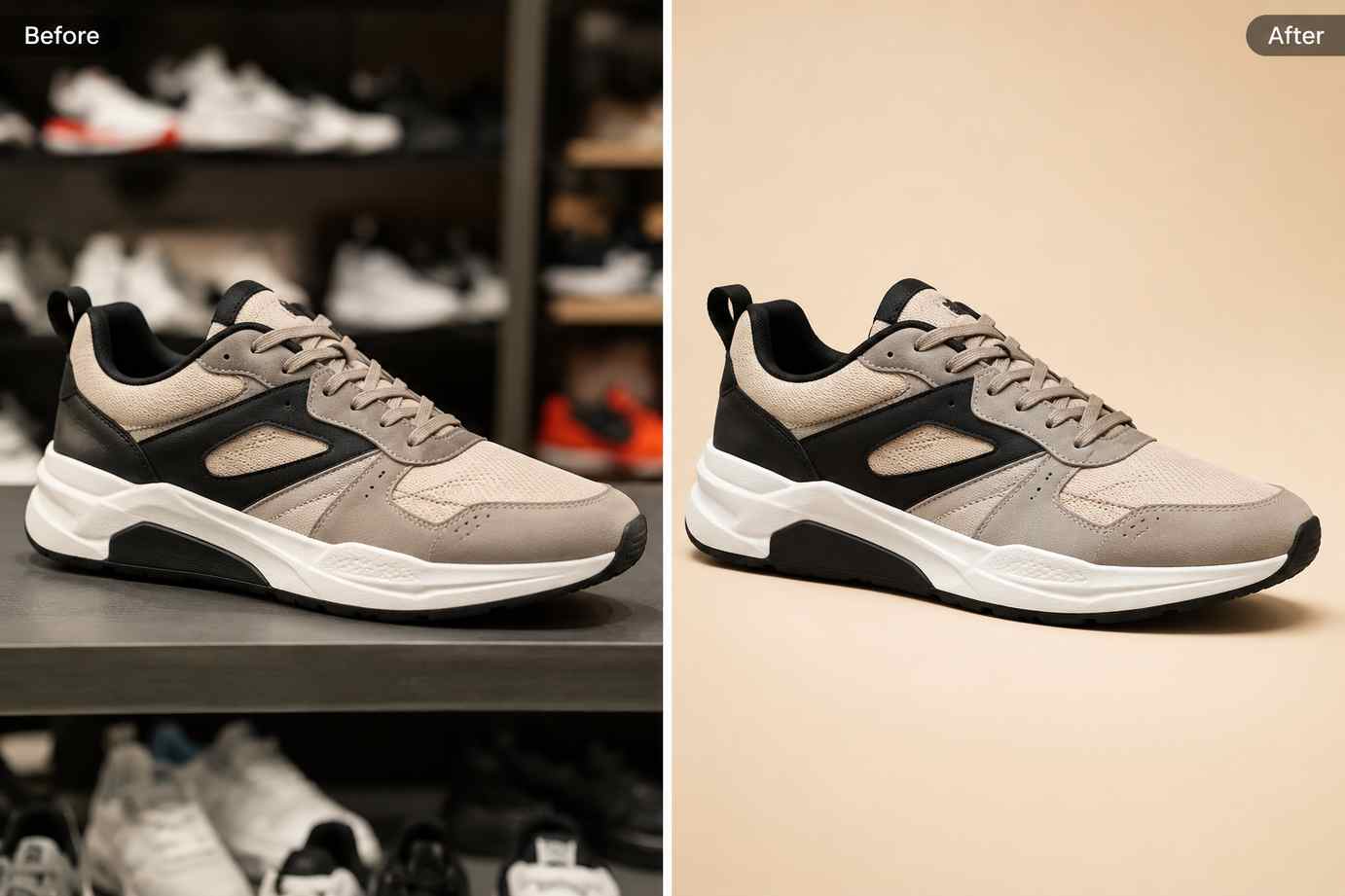
Before and after ecommerce product photo editing showing a sneaker changed from a busy shelf photo into a clean studio product image

AI tools for online sellers

Build a faster AI product photo editor workflow

PixEdit helps online sellers, marketplace teams, and small ecommerce brands turn supplier photos, phone shots, and catalog images into cleaner visuals for Shopify, Amazon, Etsy, ads, and product launches.

Background removal

Use an AI product photo editor to clean listing backgrounds

Remove busy counters, shelves, room clutter, or supplier backgrounds so shoppers can focus on the product. Create white, transparent, or branded product images for store pages, marketplace grids, and paid campaigns.

  • Prepare white or transparent product images for ecommerce listings
  • Keep a consistent catalog style across product variants
  • Create cleaner thumbnails for Shopify, Amazon, Etsy, eBay, and ads

Try now
A ceramic mug shown before and after background removal, changing from a cluttered kitchen counter to a clean white ecommerce background

AI enhancer

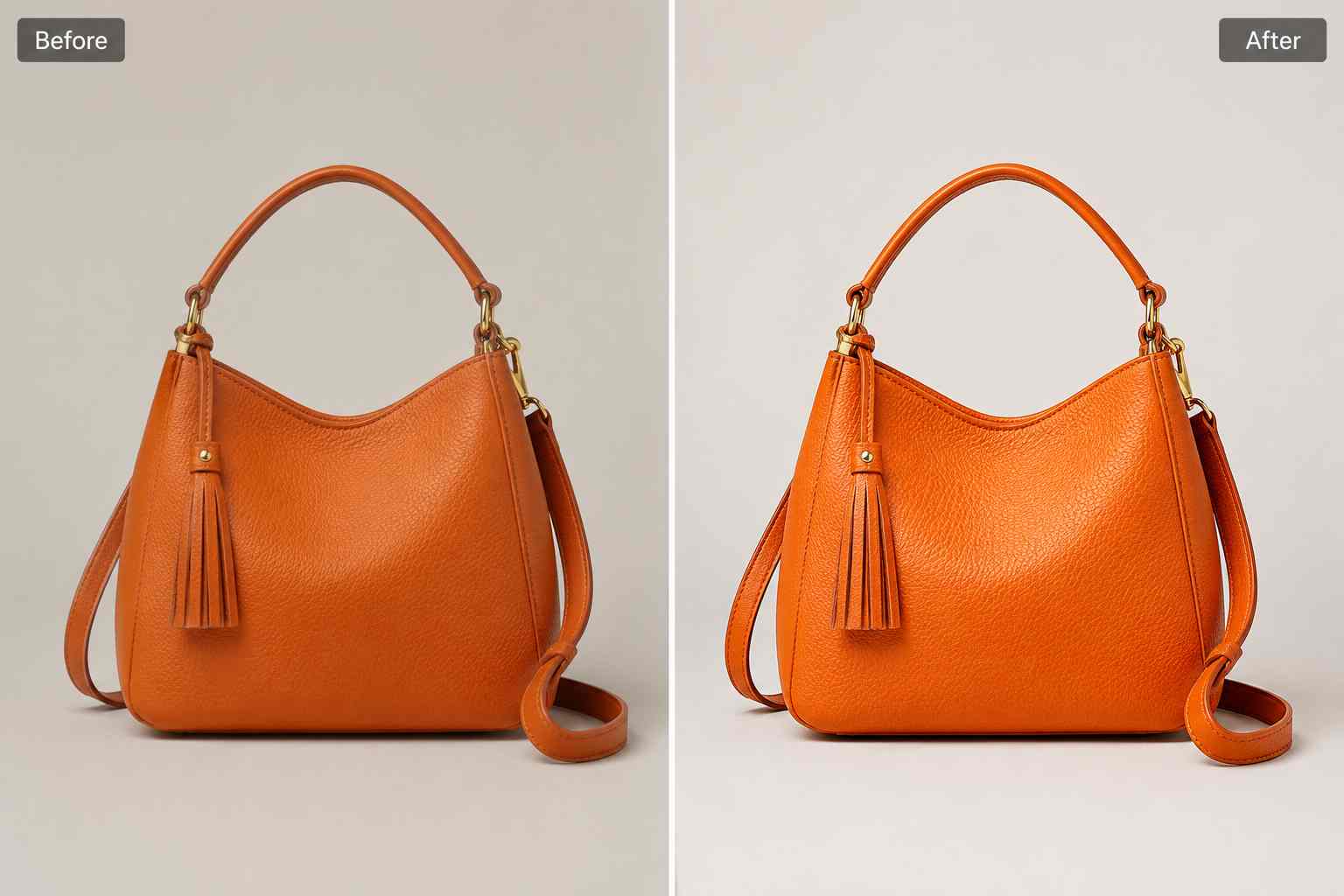
Improve product photos that look soft, dull, or compressed

Use PixEdit as an AI product photo editor to improve sharpness, lighting, color, and texture before publishing. This helps phone photos, supplier images, and compressed files look clearer on product pages and ads.

  • Recover product detail for zoom views and gallery images
  • Improve soft or compressed photos before uploading
  • Prepare sharper visuals for product pages, ads, and landing pages
Try now
An orange leather handbag shown before and after AI enhancement with sharper texture, brighter lighting, and cleaner color

Image upscaling

Upscale small product images for larger storefront layouts

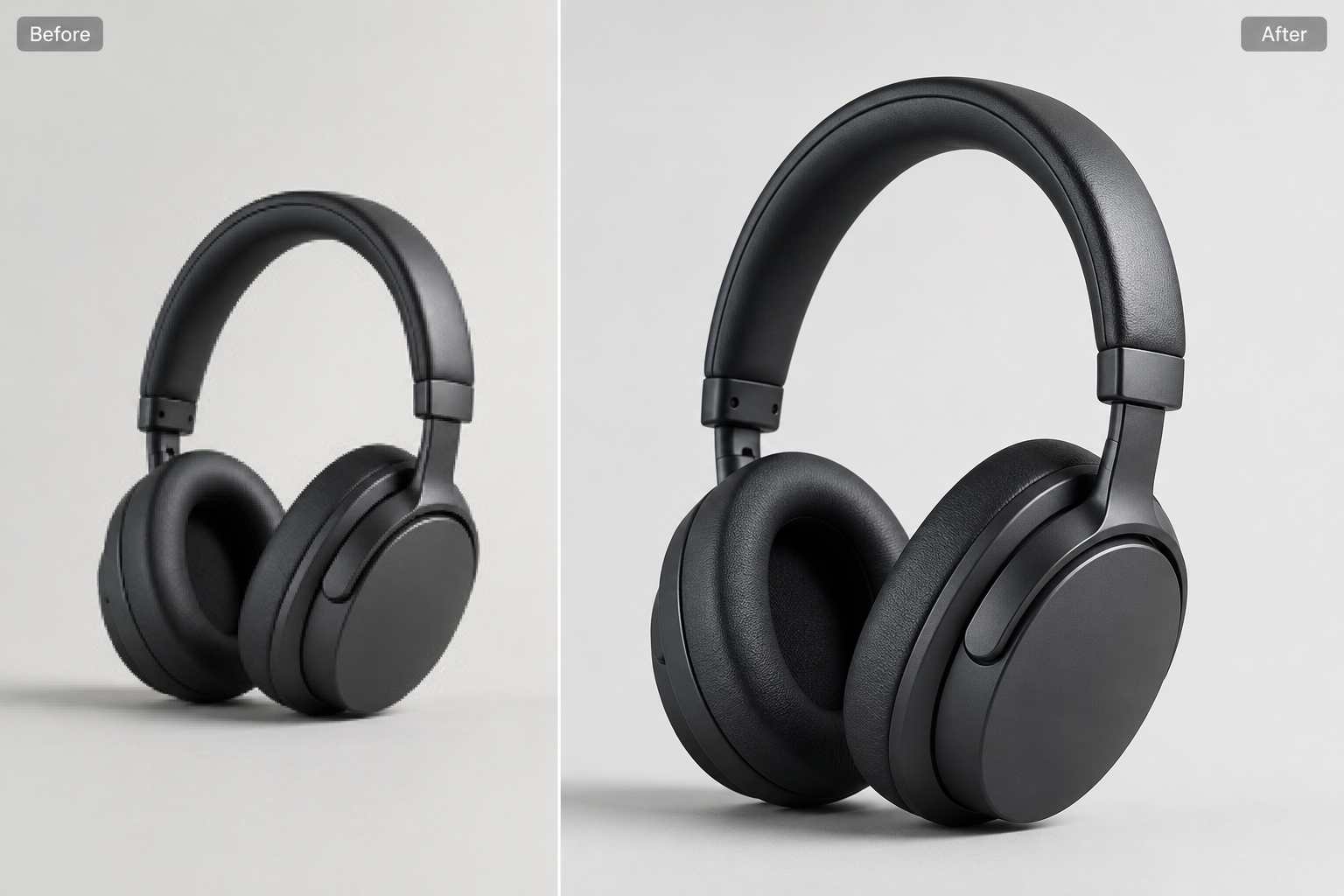
Turn low-resolution supplier photos or older catalog assets into cleaner, larger product visuals. Upscaling helps ecommerce teams reuse existing images for hero sections, collection pages, email banners, and ad creatives.

  • Resize small product images for larger ecommerce layouts
  • Improve older catalog assets without starting from scratch
  • Prepare clearer product visuals for campaigns and landing pages
Try now
A pair of headphones shown as a cleaner ecommerce product image with sharper detail and a soft realistic studio shadow

Object cleanup

Remove distracting objects from product images

Clean props, stickers, dust, reflections, supplier marks, or unwanted text from existing product photos. PixEdit helps sellers refresh visuals for new campaigns without arranging another photoshoot.

  • Refresh old product visuals without scheduling another shoot
  • Clean supplier and marketplace images before publishing
  • Create reusable assets for ads, emails, and product launches
Try now
A skincare bottle shown before and after removing sticker residue, props, and visual clutter from the product image

AI fill

Extend product photos for banners and ads

Use AI fill to expand backgrounds, create extra space around products, and adapt one image for social posts, sale banners, retargeting ads, and email campaigns while keeping the product presentation clean.

  • Create more space around product photos for campaign copy
  • Adapt one asset into multiple ecommerce marketing formats
  • Build branded visuals for ads, email, and social posts
Try now
A reusable water bottle product photo placed on a clean branded background with extra space for ecommerce campaign design

Ecommerce workflow

From raw product photo to publish-ready listing

Create a repeatable AI product photo editor workflow for launches, seasonal sales, marketplace updates, and catalog cleanups without slowing down your store operations.

1

Upload the product photo

Start with a studio image, supplier photo, phone shot, or existing catalog image that needs cleanup.

2

Remove or simplify the background

Create a cleaner base so the product reads clearly in grids, thumbnails, and listing pages.

3

Clean and enhance details

Remove distractions, sharpen important texture, correct lighting, upscale if needed, and prepare the image for shoppers.

4

Export for each sales channel

Download product images for store pages, marketplaces, ads, emails, social posts, and launch campaigns.

Seller outcome

Cleaner product images with less manual editing

PixEdit helps ecommerce teams and independent sellers create consistent, conversion-ready product visuals while moving faster through new launches and catalog updates.

80

Product cutouts prepared

40

Images enhanced

8h

Editing time saved

Outputs created with PixEdit

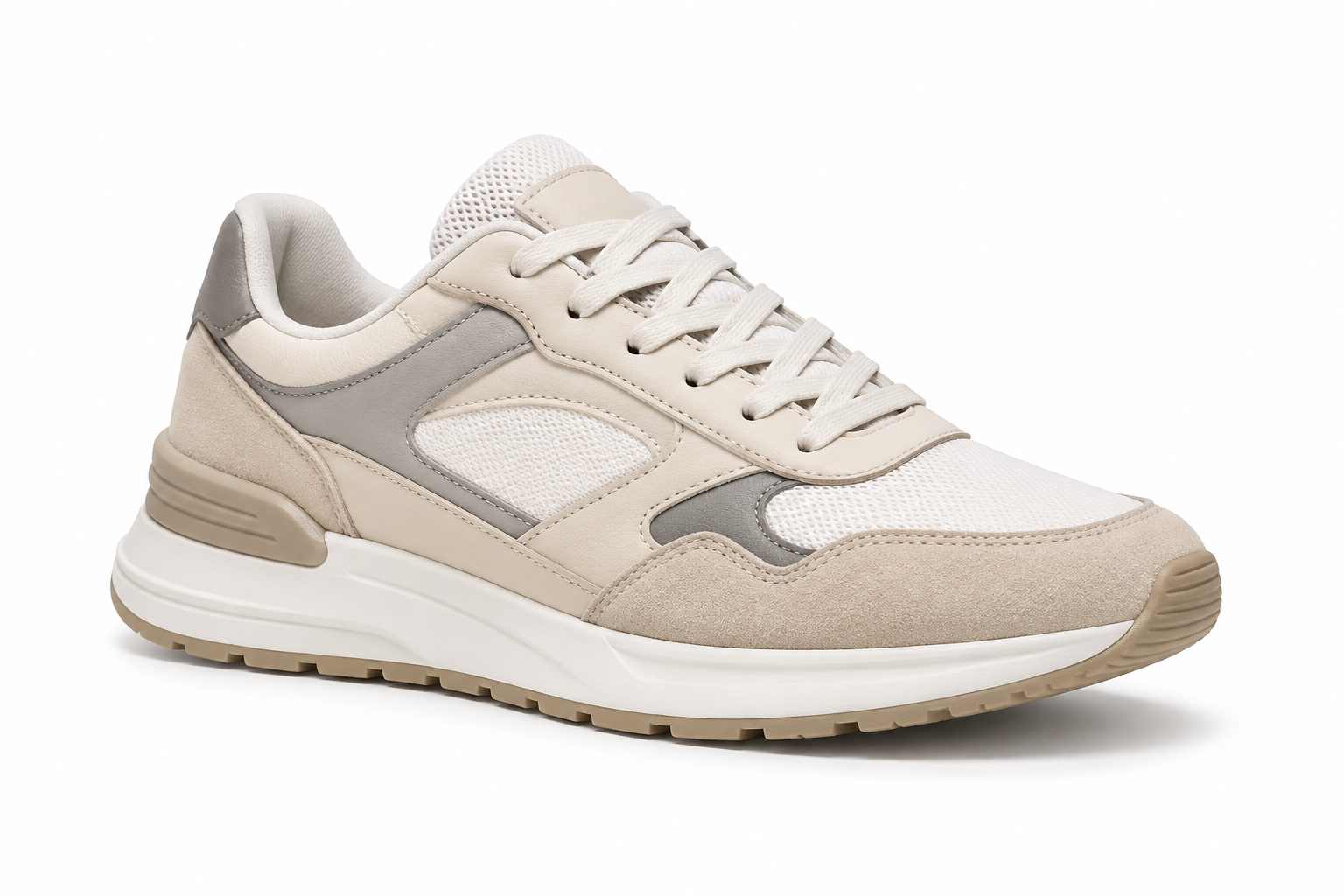
A fashion sneaker isolated on a white ecommerce catalog background with a soft realistic shadow

Clean catalog output

Tools used

Remove BackgroundEasy shadow
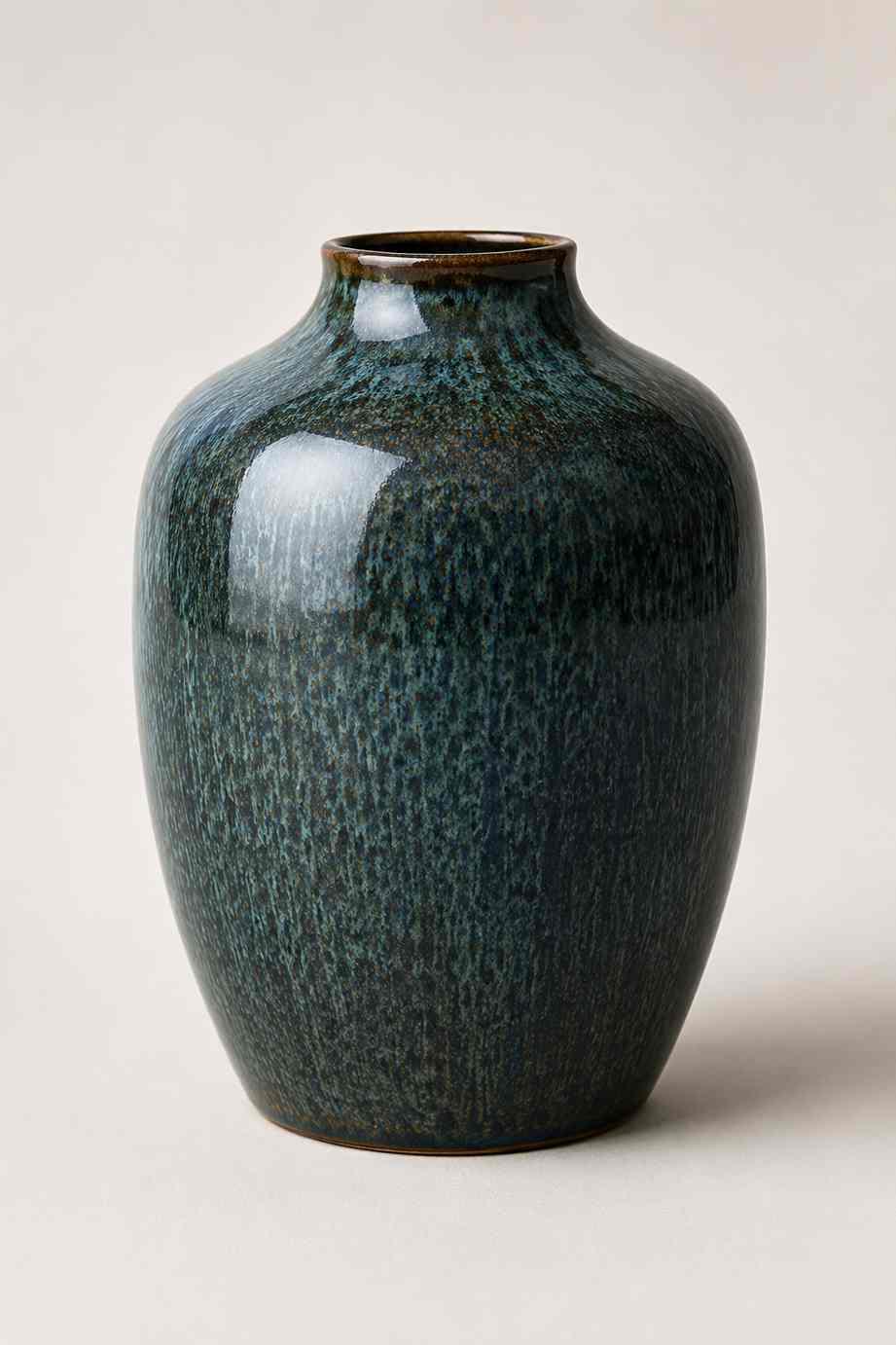
A ceramic vase product photo enhanced with sharper texture, balanced lighting, and a clean studio background

Enhanced product image

Tools used

Remove BackgroundEnhancer
A skincare product set cleaned and placed on a pastel background for ecommerce ads and social campaigns

Repurposed product photo

Tools used

Remove BackgroundRemove text
A modern ecommerce product photo template with sneaker, handbag, skincare bottle, and mug assets arranged for catalog and campaign use

Next step

Create ecommerce product photos that look ready to sell

Start with one product image, clean it up, and turn the same workflow into a repeatable process for the rest of your catalog.

FAQ

Common questions

Quick answers for sellers preparing product images, marketplace assets, and repeatable editing workflows.

1

What is an AI product photo editor?

An AI product photo editor helps online sellers clean, enhance, resize, and adapt product images for ecommerce. With PixEdit, you can remove backgrounds, clean distractions, improve image quality, upscale small assets, and prepare product photos for stores, marketplaces, ads, and catalogs.

2

Can PixEdit remove product backgrounds for marketplace listings?

Yes. PixEdit can remove busy product backgrounds and help create clean white, transparent, or branded images for ecommerce listings. This is useful for Shopify stores, Amazon product pages, Etsy shops, product grids, shopping ads, and catalog refreshes.

3

Can I improve supplier product photos with AI?

Yes. Supplier photos often arrive with dull lighting, compression, clutter, or inconsistent backgrounds. PixEdit lets you enhance clarity, clean unwanted objects, remove backgrounds, and adapt the same image into a more polished product visual before publishing.

4

Is PixEdit useful for small ecommerce shops?

Yes. PixEdit is useful for solo sellers, small ecommerce shops, and growing teams that need clean product images without complex editing software. You can start with one image, create a repeatable workflow, and apply the same style across more products.